
Spotify Media Deck
Flawsy Media Deck — Spotify Overlay for Blender 3.0+
✦ WHAT'S INCLUDED
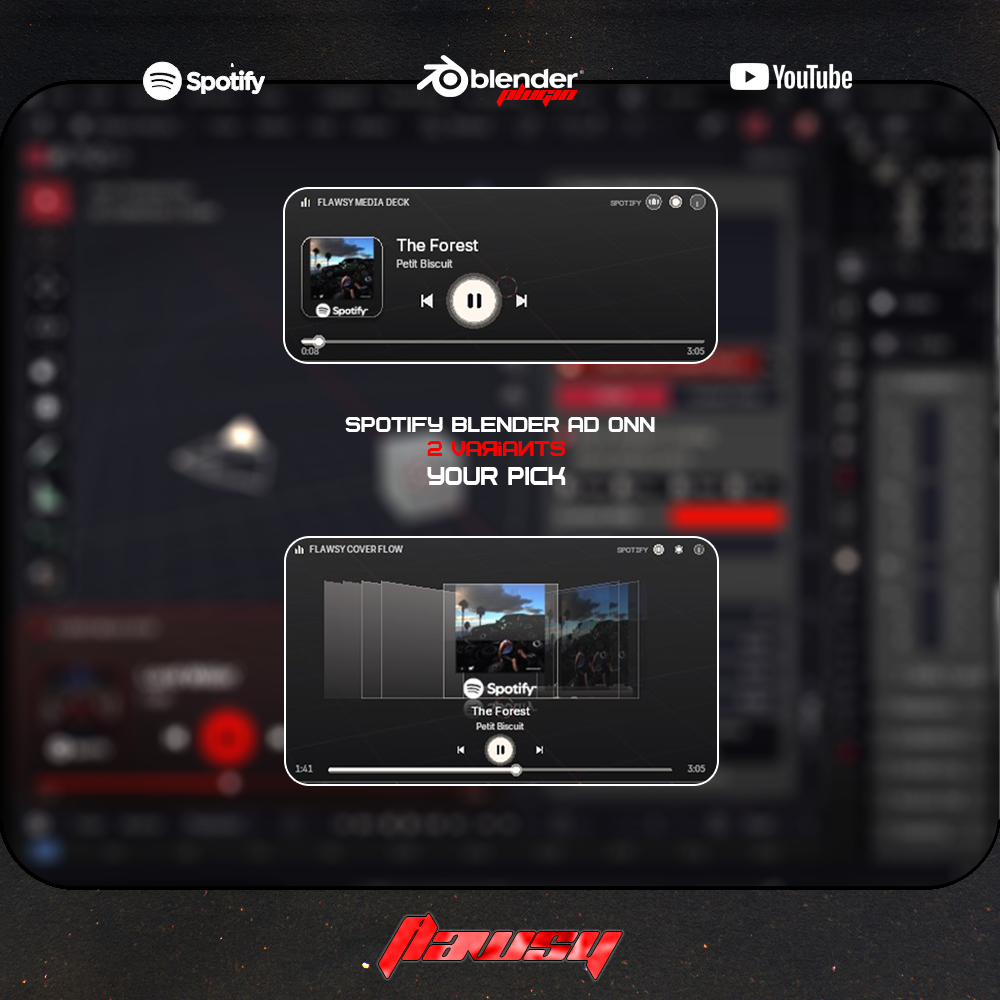
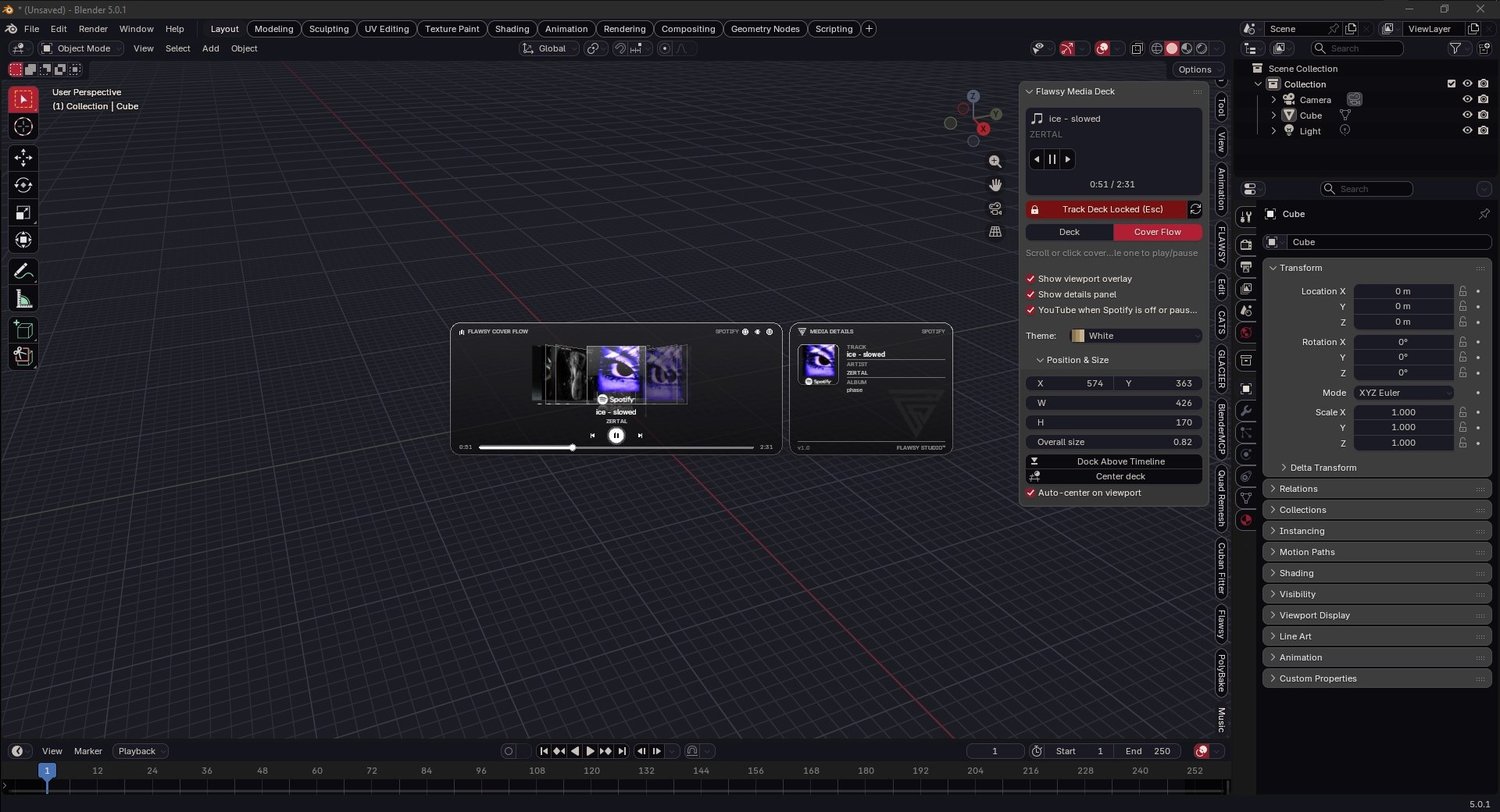
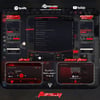
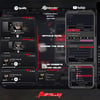
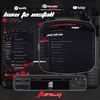
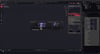
A frosted-glass music player that lives inside your Blender viewport.
Control Spotify without leaving your scene.
✦ WHY YOU'LL LIKE IT
* Skip, pause, and see what's playing without alt-tabbing out of Blender
* Show friends what song is on without showing your playlist
* Streaming Blender? Capture your viewport and you've got a music overlay, no extra plugin or software needed
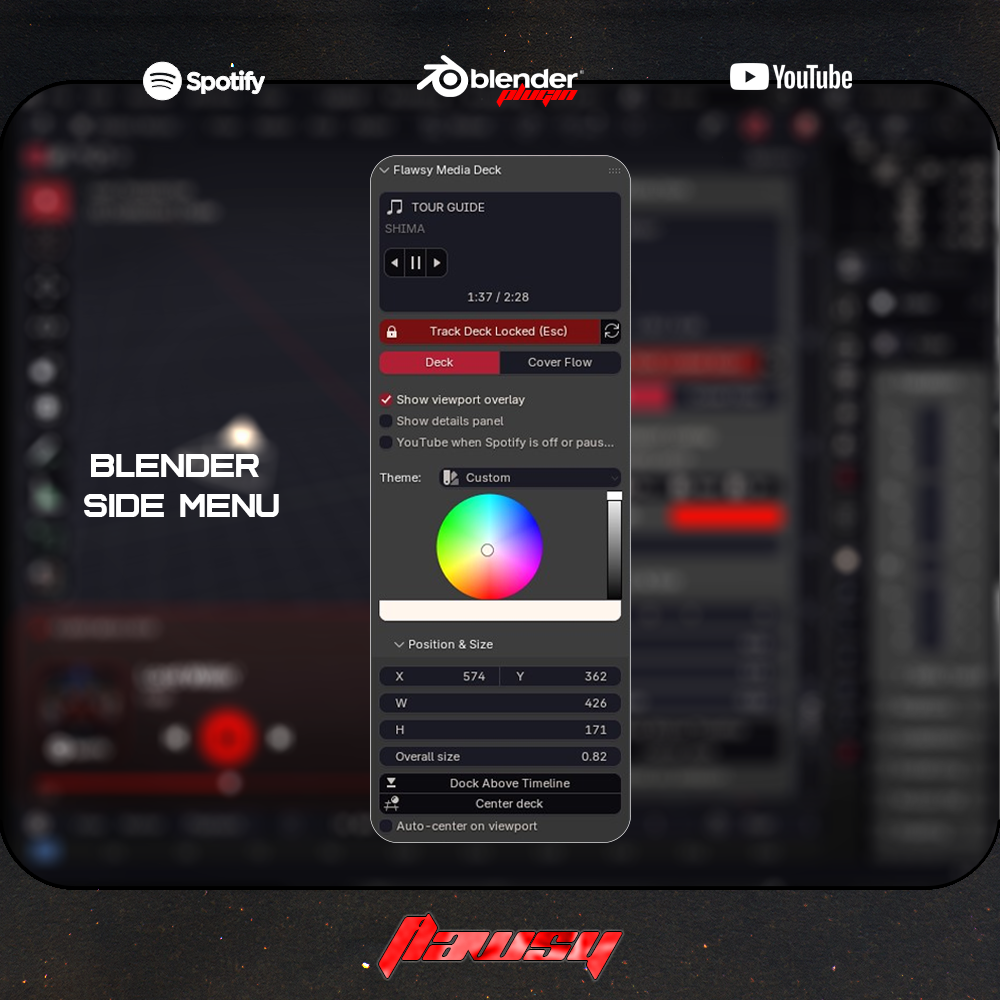
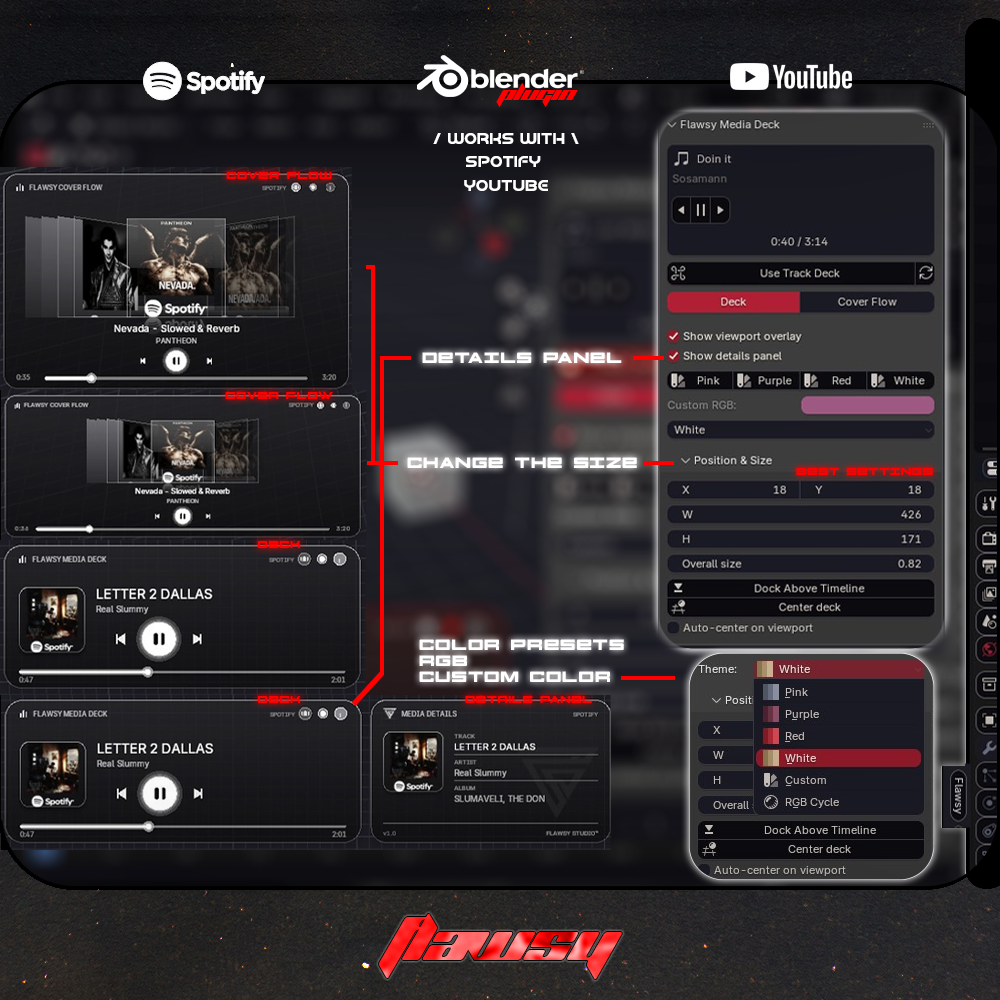
* Make Blender feel like yours, with 6 themes and a color wheel
* Missed a Song? Just scroll back over the cover and it'll tell you :D
6 Theme Options
4 Defaults:
- 🌸 Pink
- 🟣 Purple
- 🔴 Red
- ⚪ White
- 🎨 Custom — pick any color with the built-in color wheel
- 🌈 RGB Cycle — the accent slowly glides through the rainbow
You also get:
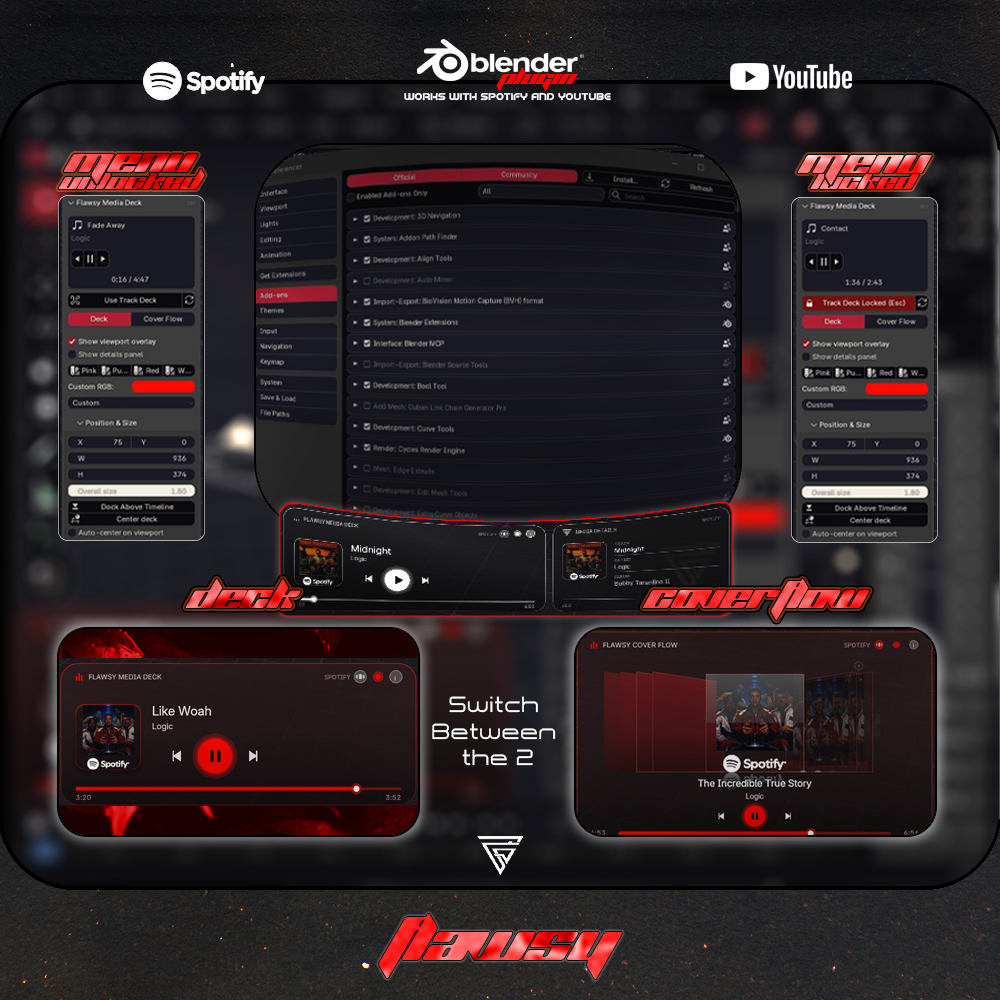
* Deck view — album art, track info, progress bar, and play / pause / next / previous
* Cover Flow view — scroll through your recent covers
* Media Details card
* Drag anywhere to move it, resize from the corner, and fine-tune the position in the panel
* Smooth animated resizing
* YouTube fallback — Spotify is always the main player, but if Spotify is closed or paused,
a playing YouTube tab takes over (controls included)
* 1 add-on ZIP — install it once and you're done
Did an update on the UI might look slightly different from the main cover art :D 10/26/2026
✦ HOW IT WORKS
Flawsy Media Deck reads the music you're already playing through Windows media controls.
* No Spotify login
* No API keys
* No Spotify Premium required
* Nothing is sent online and no credentials are collected
✦ PERFECT FOR
Creators who spend a lot of time in Blender, including:
* Avatar creators
* 3D asset makers
* Editors
* Designers
* Blender artists who like music while they work
✦ REQUIREMENTS
Blender 3.0+ (works on 3.x, 4.x, and 5.x)
Windows 10 (version 1809 or newer) or Windows 11, 64-bit
Spotify Desktop app
Chrome, Edge, Firefox, Brave, Opera, or Vivaldi for the YouTube fallback
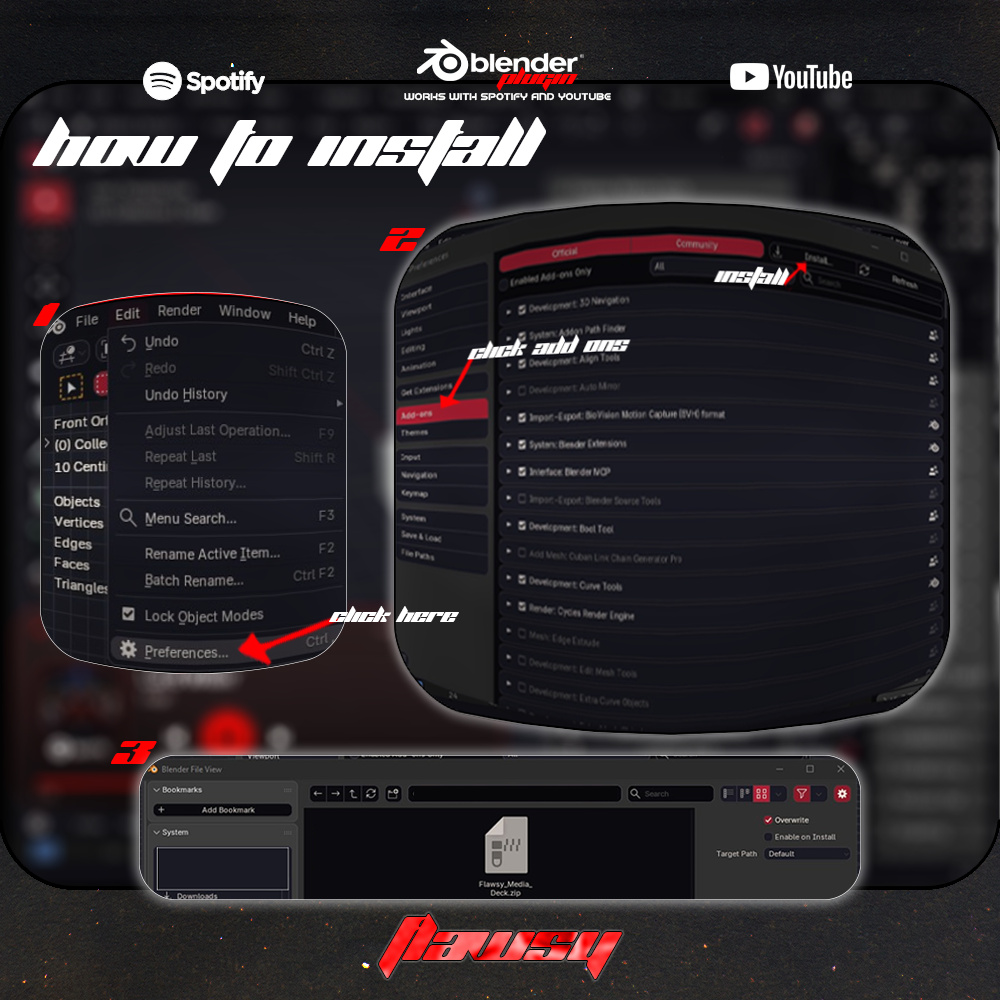
Install in 4 steps:
1. Edit → Preferences → Add-ons → Install from Disk
2. Select the ZIP and enable Flawsy Media Deck
3. Play a track in Spotify
4. In the 3D View press N, open the Music tab, and click Refresh active media
✦ IMPORTANT
Windows only. Mac and Linux are not supported.
Not affiliated with Spotify or YouTube.
No music, models, or other assets are included — this is a Blender add-on only.
✦ TERMS OF USE
You CAN:
✅ Use the add-on for personal projects
✅ Use it while working on commercial projects
✅ Use it in videos, screenshots, streams, and tutorials
✅ Change the colors and layout for your own setup
You CANNOT:
❌ Resell or redistribute the add-on as-is
❌ Claim it as your own creation
❌ Reupload or distribute the files for free
Coded & designed by Flawsy
Credit is appreciated but not required.
⚠️ Digital products are non-refundable.
Have a question or want a custom Blender theme?
Join the Flawsy Discord and message me there.
Want your own custom theme?
Contact me through the server and let's make one.